 PPTX Export
What the Conversion Report Tells You
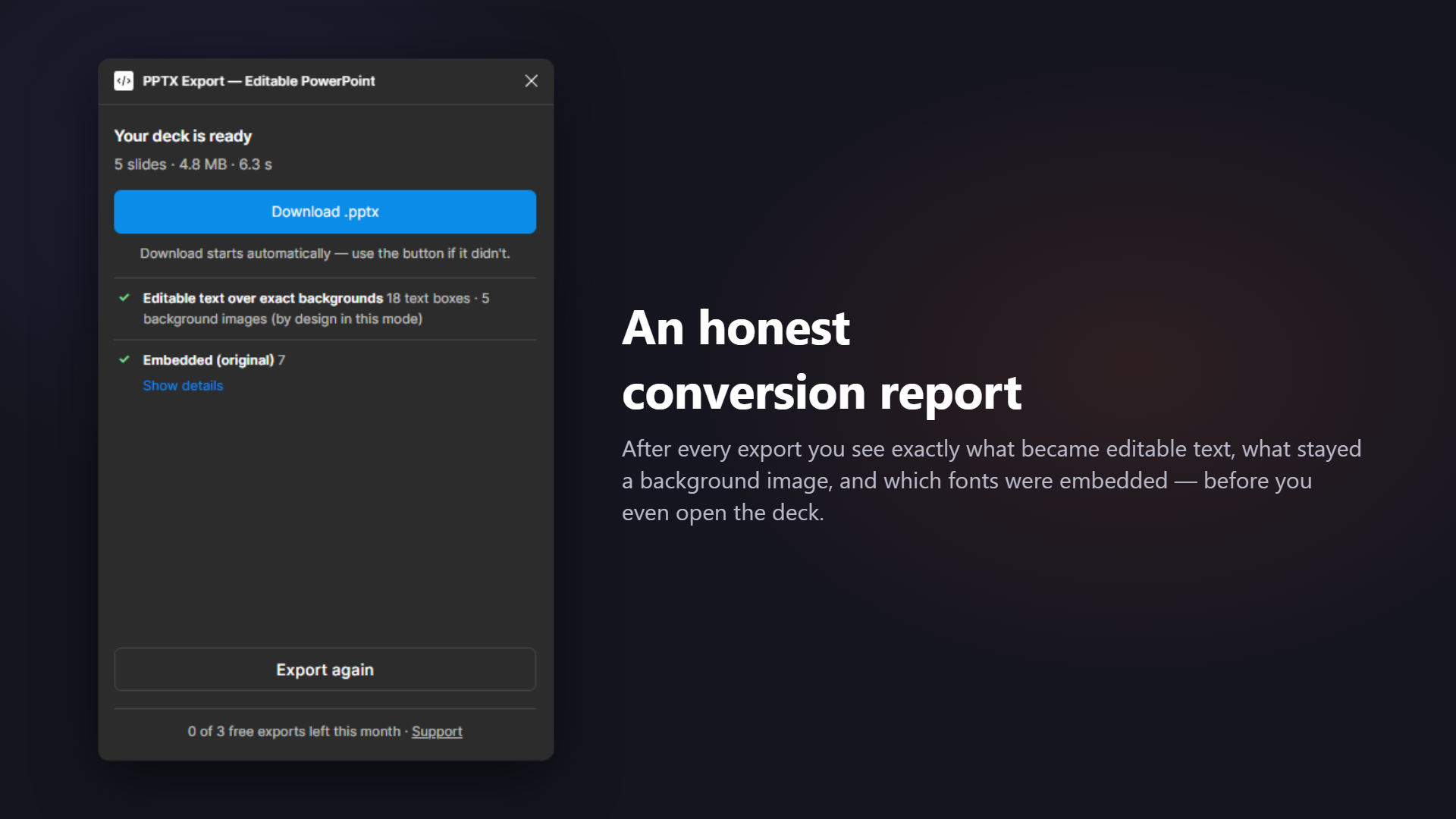
Of the Figma-to-PowerPoint plugins we tested, this is the only one that hands you a report at all. Here is the whole thing, line by line.
This is the actual output format
Not a marketing mock-up — this is what the plugin prints after a five-slide export, in the same plain-text form you can copy out of the UI.
slides: 5
native text boxes: 18
native shapes: 9
images placed: 5
rasterized nodes: 3
  - Hero / gradient-orb: angular gradient fill
  - Logo lockup: complex vector (curves or filled geometry)
  - Card 2 / photo-mask: mask node
font substitutions: 2
  - Inter -> Inter (no mapping — kept as-is, may fall back if not installed)
  - Space Grotesk -> Segoe UI (Cyrillic fallback → Segoe UI (no mapping; Space Grotesk may render as boxes if not installed))
fonts embedded: 1
  - Inter [regular, bold]
fonts remapped: 1
  - Space Grotesk -> Segoe UI (Cyrillic fallback → Segoe UI)
fonts need file: 0
Reading it in thirty seconds
The counts
native text boxes and native shapes are the numbers that matter — they are how much of your deck stayed editable. images placed counts real image fills, not rasterized fallbacks.
rasterized nodes
Each line is layer name: reason. The layer name is the one from your Figma file, so you can jump straight to it. The reason is the specific rule that fired — not "unsupported".
The three font baskets
embedded — real bytes inside the file. remapped — an honest from → to swap. need file — upload a .ttf and it joins the embedded list.
Three questions worth asking before you hit send
1. Is anything editable that needs to be? If a headline your client will rewrite shows up under rasterized, that is a five-second fix in Figma — usually a mask or a gradient fill on the text — and worth doing before the deck leaves your hands.
2. Will the fonts survive? Anything in need file renders with whatever PowerPoint decides on the recipient's machine. Upload the .ttf and it moves to embedded.
3. Does the raster count match your expectations? Logos and illustrations as pictures — fine. Half your body copy as pictures — something is off, and the reasons column tells you what.
Why this exists
In July 2026 we exported the same deck through every Figma-to-PowerPoint plugin we could find and opened each file. Two things were consistently true: most "editable" exports were images, and none of them told the user what had happened. The silence is the product decision we disagreed with.
Why show me problems at all? Other plugins just export.
Because you find out either way — the only question is whether you find out here, or your client finds out in front of their board. A three-line report before you send the file is cheaper than a surprise after.
Does a rasterized node mean the export failed?
No. A rasterized node still looks exactly like your design; it is rendered at high resolution and placed in the right position. It simply cannot be edited in PowerPoint. For a logo or an illustration that is usually the correct outcome anyway.
What is a placeholder PNG?
A rare case where a node had to be rasterized but no rendered bytes were available for it. The report marks that line explicitly rather than shipping an invisible gap — if you see one, re-run the export.
Can I get the report as a file?
The report is shown in the plugin right after the export and can be copied as plain text — the same format shown on this page.
Do failed exports count against my free quota?
No. Quota is only spent on an export that actually produced a file.
Related: The full rule set behind the report · Pre-flight check your deck · Font compatibility checker
Hand off a deck people can actually edit
Editable where possible, embedded where it matters, transparent always — that's the whole promise.