 PPTX Export
Editable PPTX from Figma: How Honest Conversion Actually Works
Every converter faces the same wall — the PowerPoint format cannot express everything Figma can draw. What separates them is what they do at that wall.
Three outcomes, and a rule for each
The converter walks your frame tree node by node. Each node ends up in exactly one of three states, decided by a fixed rule set rather than by guesswork — the same rules you can preview in the pre-flight checklist.
✓ Native object
Text, rectangles, ellipses, straight lines, straight-segment vectors, standard polygons and stars, image fills. These become PowerPoint objects with their fills, strokes, radii, gradients and drop shadows intact.
⚠ Picture, with a reason
Masks, blurs, inner shadows, blend modes, conic gradients, curved or filled vector art, text with a non-solid fill. Rendered at high resolution so it looks exact — and named in the report.
Aa Font decision
Every family used lands in one of three baskets: embedded, honestly remapped, or "needs your file". No family passes through unexamined.
The exact reasons a node becomes a picture
These are the real strings the converter writes into your report. Not marketing categories — the actual decision points.
| Reason in the report | What triggered it | What you can do |
|---|---|---|
mask node | The layer is a mask, or its group contains one | Flatten the masked group in Figma if you need it editable |
blend mode … | Anything other than Normal / Pass-through | Bake the blend into the artwork, or accept the picture |
blur effect | Layer blur or background blur | No native equivalent — keep it as a picture |
inner shadow | Inner shadow effect (drop shadow is native) | Swap to a drop shadow where the design allows |
angular gradient fill | Conic gradient | Use linear or radial — both convert natively |
text with non-solid fill | A gradient or image fill on a text layer | Solid-fill the text to keep it editable |
complex vector (curves or filled geometry) | Bezier curves or filled vector art | Expected — logos and illustrations belong as pictures |
unsupported POLYGON pointCount N | A point count with no PowerPoint preset | Use a standard polygon or star count |
unsupported node type … | A node type the converter has not met | Nothing — it degrades safely instead of failing |
Every line names the layer, so you can find it in Figma in seconds.
How your typography actually gets into the file
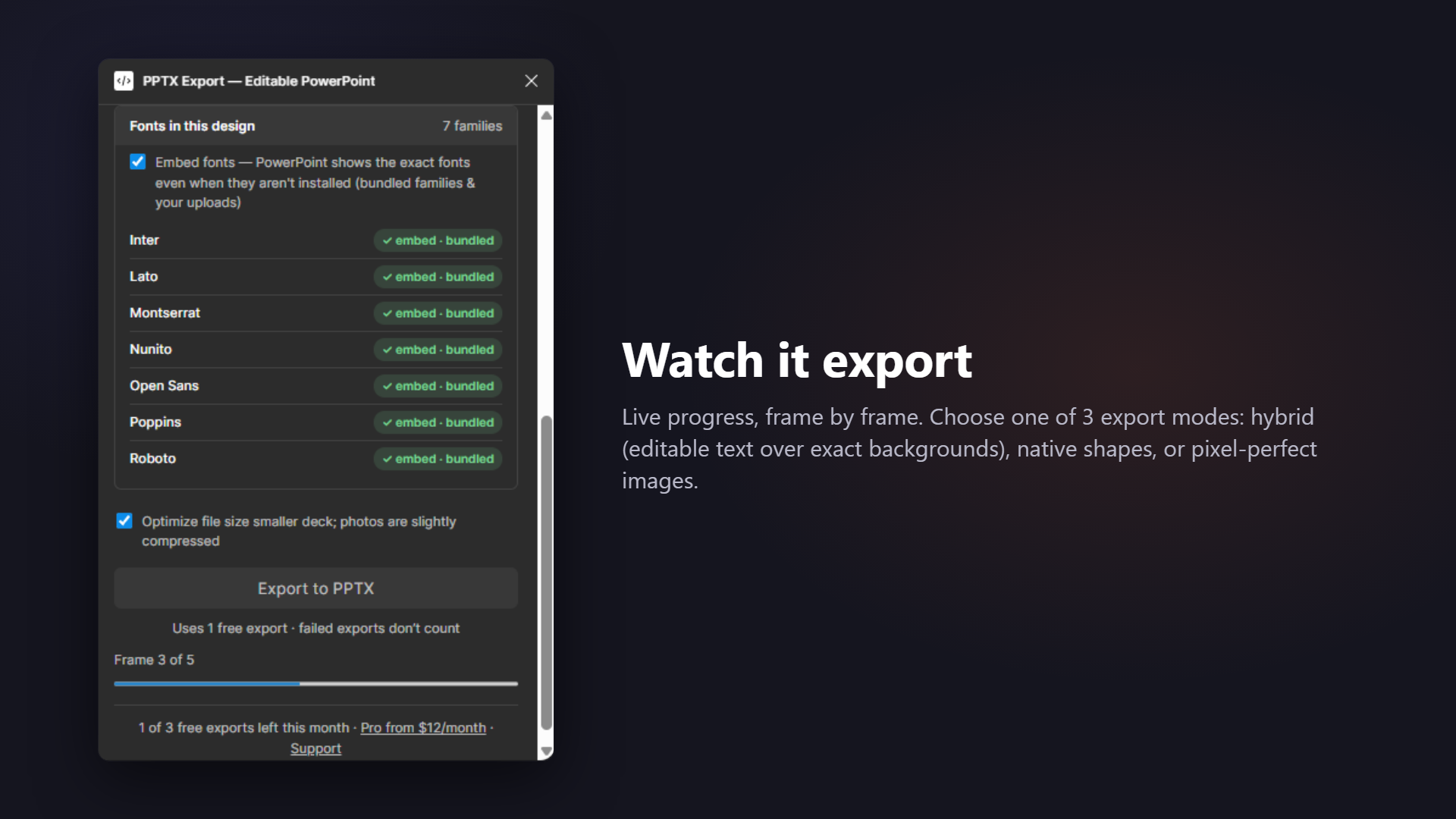
Embedded. The real font bytes are written into the .pptx as font parts. Eight popular families ship with the plugin — Inter, Roboto, Montserrat, Poppins, Open Sans, Lato, Nunito and DM Sans — and any other typeface is embedded once you upload its .ttf. The deck then renders correctly on a machine that has never installed it.
Remapped. No bytes available, but a sensible PowerPoint-safe substitute exists — Inter → Calibri, Montserrat → Trebuchet MS, Helvetica → Arial, Playfair Display → Georgia. The report prints the swap as from → to. There is also a Cyrillic safeguard: if the text contains Cyrillic and the chosen face is not guaranteed to cover it, the converter forces a family that does, so your text never arrives as a row of empty boxes.
Needs your file. Not PowerPoint-safe and no known mapping. The plugin says so plainly and offers the upload, rather than writing a font name into the file and hoping.
Limits, stated up front
A list every converter should publish and almost none do.
- Conic gradients, masks, blurs, inner shadows and non-normal blend modes are pictures. This is a format limitation, not a roadmap item.
- Curved and filled vector artwork is rasterized; only straight-segment vectors become native polylines.
- Figma prototype interactions, transitions and Figma Slides speaker notes do not exist in .pptx and are not carried over.
- Google Slides ignores embedded fonts — see the Google Slides page for what to do instead.
- Photo-heavy decks produce large files. Optimization is on by default; turn it off only when you want maximum fidelity.
Frequently asked
Why not convert everything to native shapes?
Because some things have no native equivalent, and faking them produces a deck that looks wrong. A Figma mask, a layer blur, an inner shadow, a conic gradient and a multiply blend cannot be expressed in the PowerPoint drawing model. The choice is between an exact picture with a written reason, or a native object that renders differently from your design. We pick the picture and tell you.
Which gradients stay native?
Linear, radial and diamond gradients become native PowerPoint gradient fills, including on rectangles, ellipses and frame backgrounds. Angular (conic) gradients have no equivalent in the format and are rasterized.
What is an EOT and why does it appear in font embedding?
PowerPoint embeds typefaces in a compact font format inside the package. The plugin converts your TTF into that form before writing it in, which is why the deck renders with your typography on a machine that never had the font installed.
Do you support variable fonts?
A variable font is embedded as the concrete styles used in your frames — regular, bold, italic, bold italic. Arbitrary intermediate weights are matched to the nearest embedded style rather than silently dropped.
What happens to a node type you have never seen?
It becomes a picture with the reason "unsupported node type", rather than throwing an error and losing your export. New Figma features degrade gracefully instead of breaking the run.
Related: The conversion report explained · What is inside the .pptx · How this compares to the paid studios
Hand off a deck people can actually edit
Editable where possible, embedded where it matters, transparent always — that's the whole promise.