 PPTX Export
Exporting Presentations from Figma: Every Option Compared
Figma can hand you a PDF, a pile of PNGs, a live prototype link or a Slides deck. Only one route ends with a file other people can edit. Here is the whole map.
The five routes out of Figma
Pick by what has to happen to the deck after you send it — not by what is fastest to click.
| Route | You get | Editable by the recipient? | Best for |
|---|---|---|---|
| PDF export (built in) | One PDF, vector text | No — read and comment only | Sending a deck for review or printing |
| PNG / JPG export (built in) | One image per frame | No | Thumbnails, social, embedding in other docs |
| Figma Slides | A presentation inside Figma | Only for people in your Figma file | Presenting yourself, internal decks |
| Prototype link | A live URL with interactions | No, and it needs a browser | Showing flows and animation |
| Editable .pptx (this plugin) | A real PowerPoint file | Yes — text boxes and shapes | Client hand-off, investor decks, corporate templates |
When PPTX is the only answer that works
Four situations where every other route quietly fails, usually at the worst moment.
"Just send it in PowerPoint"
The client's whole organisation runs on Office. A PDF means someone rebuilds your deck by hand, badly, and your design does not survive the rebuild.
Investors edit the deck
Fundraising decks get revised weekly, often by someone who is not you and does not have Figma. Editable text boxes turn a two-day loop into a two-minute one.
Corporate templates
Compliance requires the company master, fonts and slide numbering. You can only apply a template to real PowerPoint objects — never to a screenshot.
Localisation
Translators need selectable text. Images of text mean retyping every string and re-laying out every slide, in every language.
Accessibility
Screen readers read text boxes, not pixels. A deck of images is unreadable to anyone using assistive tech — and increasingly a procurement blocker.
Reuse
Half of slide reuse is copying one chart or headline into another deck. That only works when the element is an object.
Most "PowerPoint export" is a PDF with extra steps
A great many Figma-to-PowerPoint tools do exactly what a PNG export does, then place the images on slides. The file extension changes; the editability does not. You find out when the client clicks a headline and nothing happens.
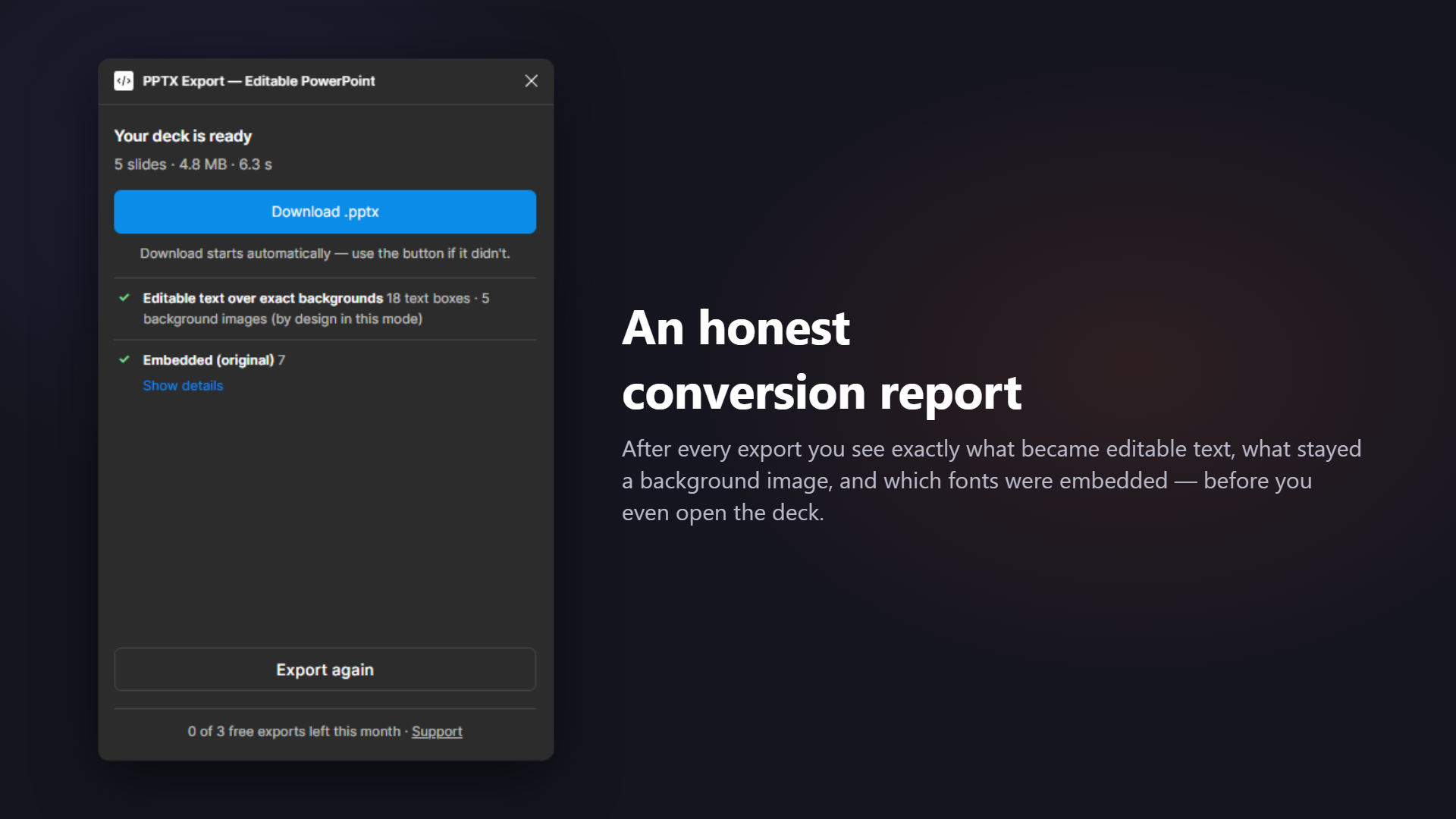
Two things separate a real conversion from a repackaged screenshot: whether text arrives as text boxes, and whether the tool admits what it could not convert. This plugin does both — every export ends with a report naming each rasterized node and the reason.
Where to go next
Just want the steps
How to export Figma to PowerPoint — the plugin route plus the two manual ones, compared.
Google Slides is the destination
Figma to Google Slides — the .pptx bridge, and the one caveat about fonts.
You use Figma Slides
Figma Slides to PowerPoint — keeping text live when your slides are already slides.
What is the difference between Figma Slides and exporting to PowerPoint?
Figma Slides is a presentation mode inside Figma — great while the deck lives with your team. It exports to PDF and images, not to an editable .pptx. The moment someone outside Figma has to edit the deck, you need a real PowerPoint file. See Figma Slides to PowerPoint.
Can I export a Figma prototype with animations to PowerPoint?
No, and be suspicious of anything that claims otherwise. PowerPoint has its own animation model; Figma interactions do not map onto it. What travels is the visual design and the content. If animation matters more than editability, present from Figma or export video.
Which format should I send to a client?
PDF if they only need to read and comment. Editable .pptx if they need to change anything, present it inside a corporate template, or reuse slides in another deck. Images only if you actively want the deck frozen.
Does exporting cost me quality?
Not in exact-look mode: slide backgrounds are pixel-exact renders of your frames with live text boxes on top. Fully-editable mode rebuilds elements as native objects, which occasionally shifts a hairline; the report tells you what changed hands.
Hand off a deck people can actually edit
Editable where possible, embedded where it matters, transparent always — that's the whole promise.